1. What is a Cookie?
A Cookie is a small text file stored by a website in a user’s browser. It is used to record login status, browsing preferences, and other information, enabling users to avoid repeated logins and providing personalized page experiences.
Main functions:
- Save account login information to enable automatic login without repeated authentication;
- Record browsing preferences and page settings to provide a personalized access experience;
- Retain website activity data to help websites identify users and maintain session status.
2. How to Obtain Cookies from a Logged-in Account
1.Download the Cookie-Editor browser extension from the local Google Chrome browser.
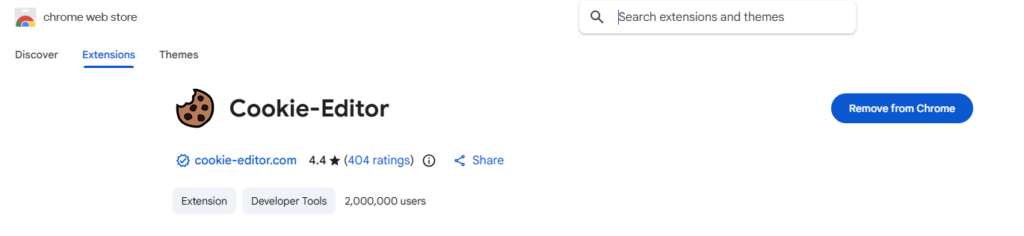
2.Log in normally to the overseas social media account through the local Google Chrome browser. Facebook is used as an example.
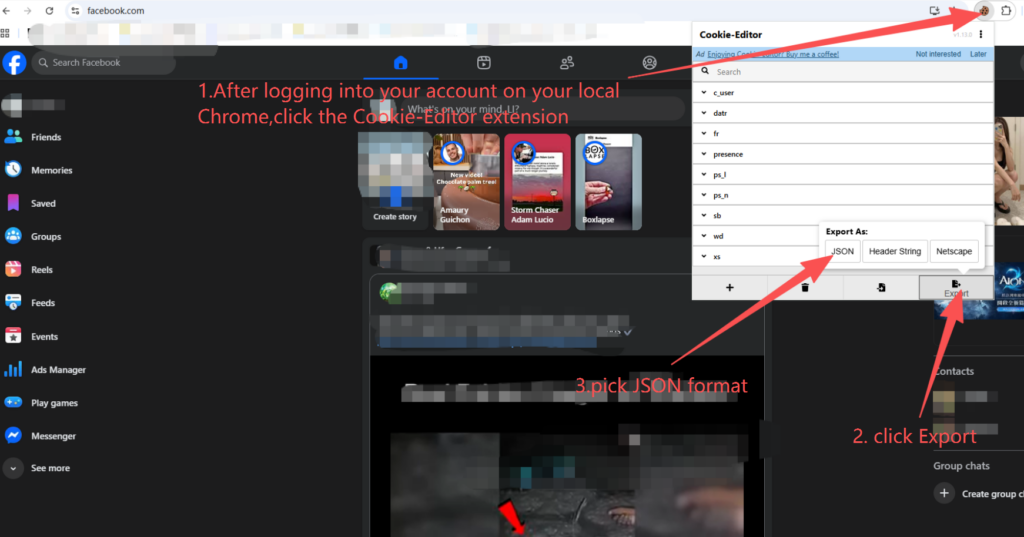
3.After successfully logging in through the local browser, click the installed Cookie-Editor extension and wait for approximately 10 seconds. Then click “Export” and select the JSON format. At this point, the login status cookies have been copied by default.
3. How to Import Cookies into the Maskfog Browser Environment
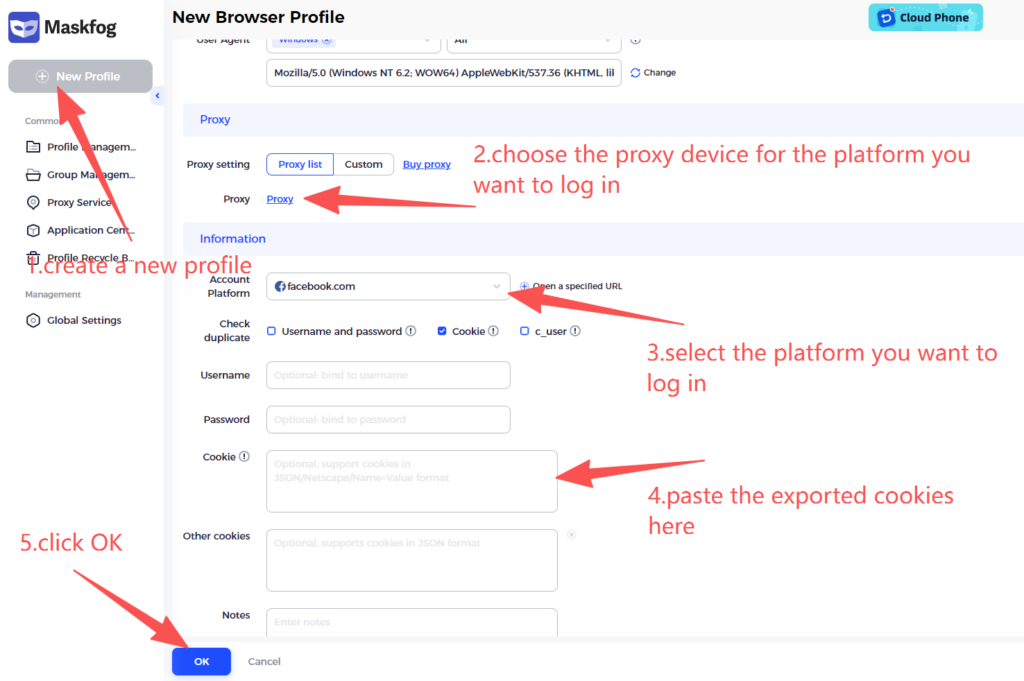
- Create a new profile -> Select the required platform device -> Select Facebook as the account platform (if using another business platform, select the corresponding platform).
- Paste the exported cookies into the Cookie section in the Maskfog browser window, then click “Confirm”. Open the browser environment to use it.